Start an Order
3 Ways to Start an Order
Section titled “3 Ways to Start an Order”There are 3 primary ways to start an order in DecoGro
-
The + New Order button
-
The Orders tab on a Contact page
-
Duplicating an existing order
The + New Order Button
Section titled “The + New Order Button”This is the most frequently used (and fastest) way to initiate a quote in DecoGro. Simply click the + New button in the top right of any page and select + New Order.

From A Contact Page
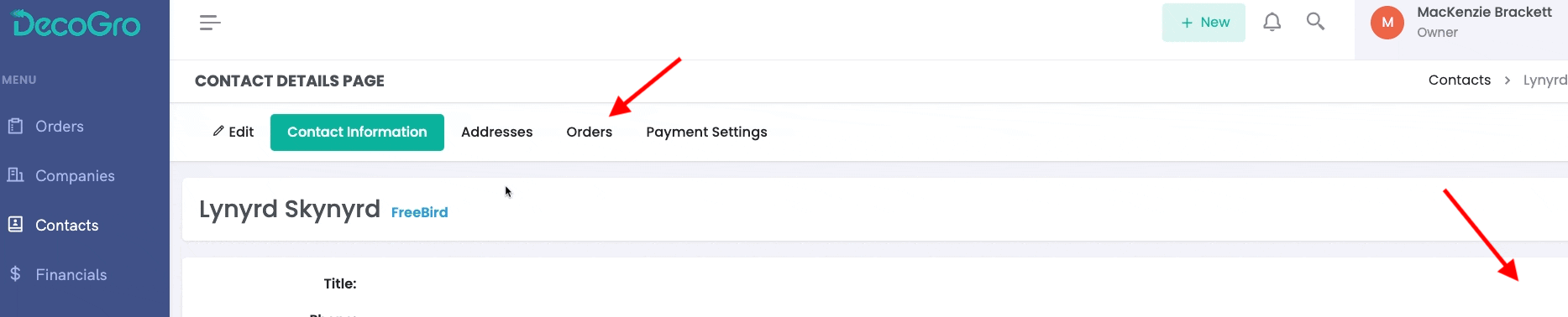
Section titled “From A Contact Page”This is helpful if you are already on a contact page and need to create a new order for that contact. Just open any contact page and go to the orders tab. Here you can click the blue New Order button to create a new order for that contact.
Duplicate an Existing Order
Section titled “Duplicate an Existing Order”If you have a repeat order or reprint, you can easily duplicate an existing or past order. Don’t worry, you can still edit order details like art, garments, quantity, or any other changes.
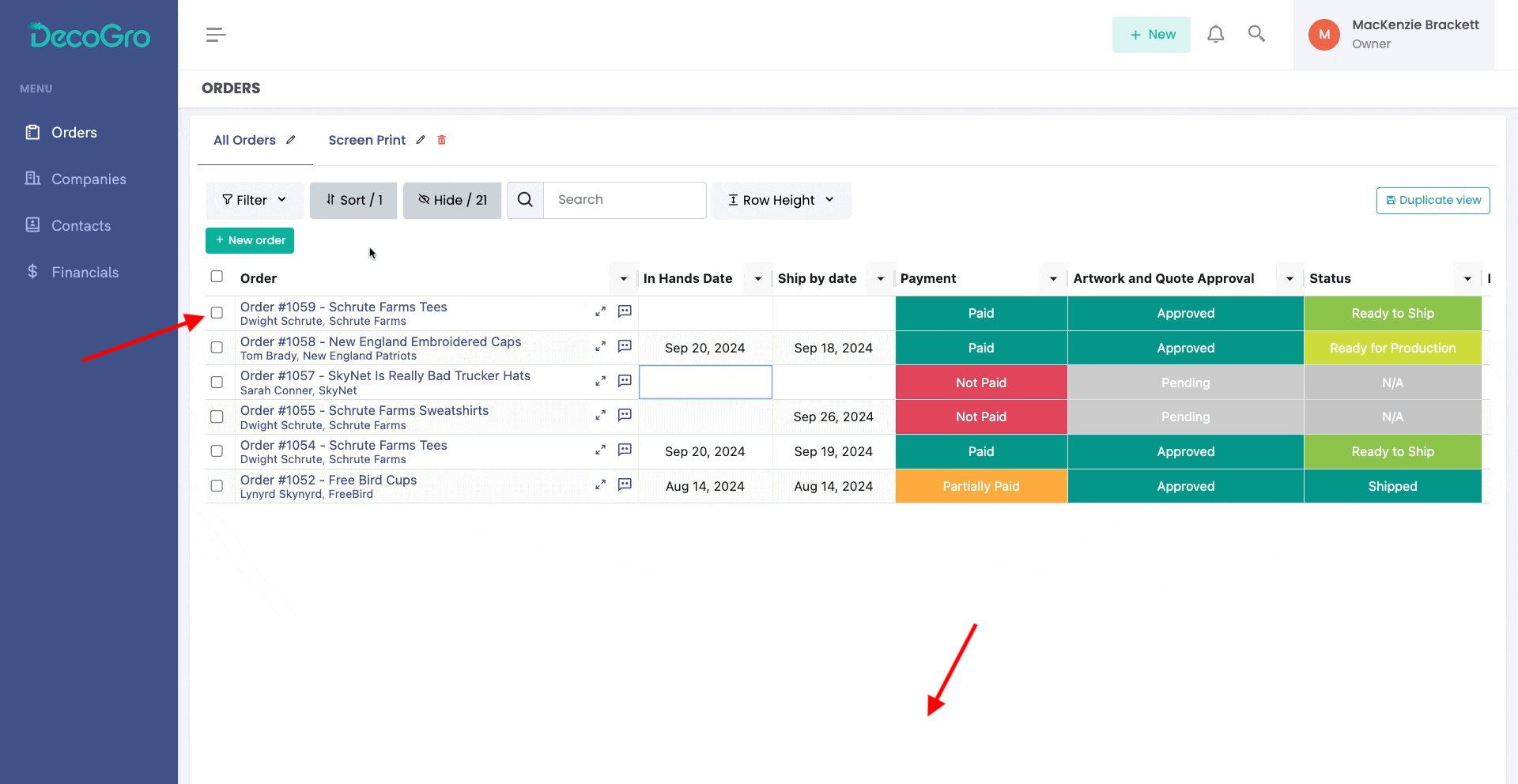
To duplicate an order from the orders table, select that order by checking the box next to the order info, then click the duplicate button at the bottom of the screen.
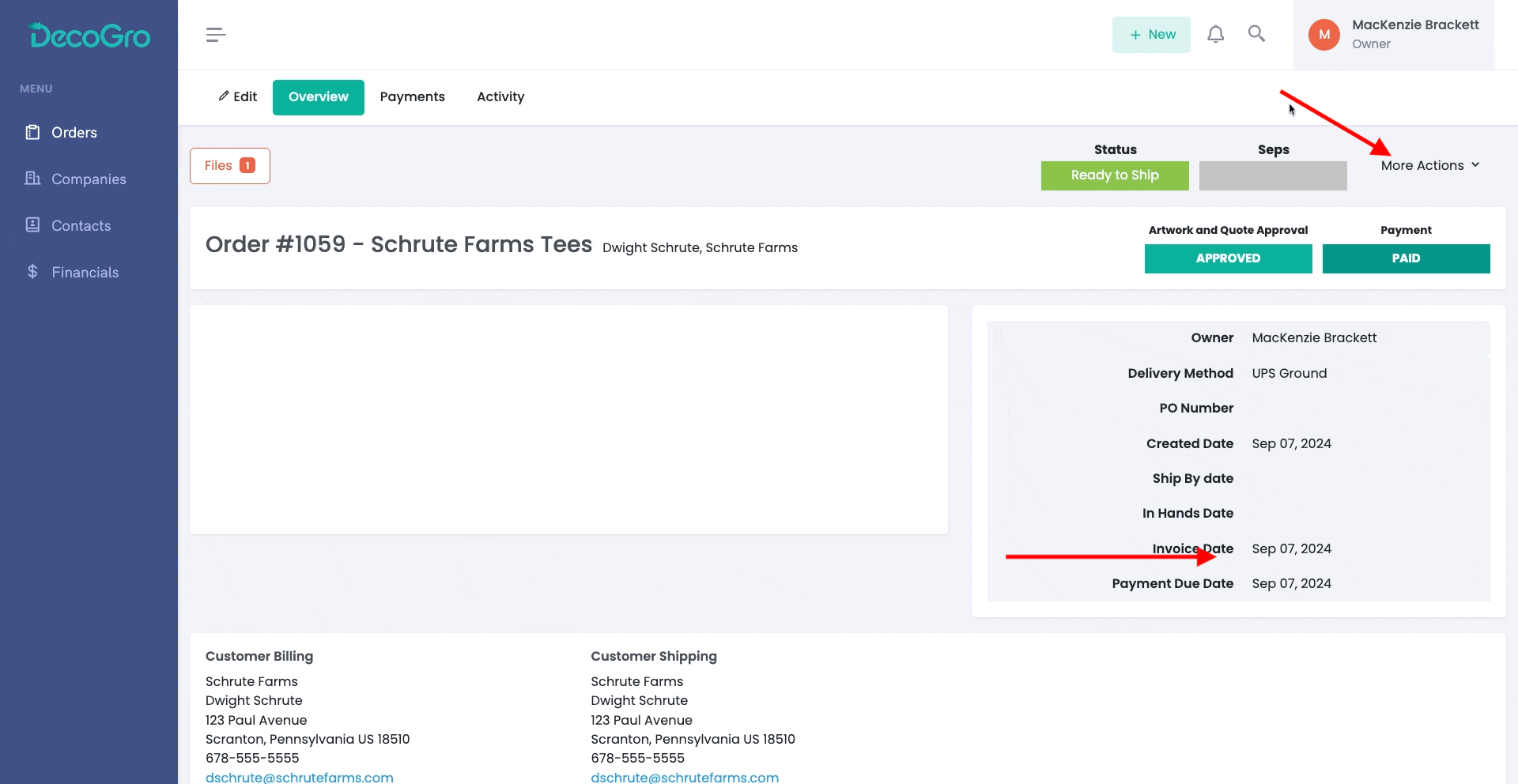
To duplicate an order from the order overview page, simply click More Actions in the top right of the page, then click Duplicate Order.