Add Mockups to Line Items
How Do I Add Mockups to Line Items?
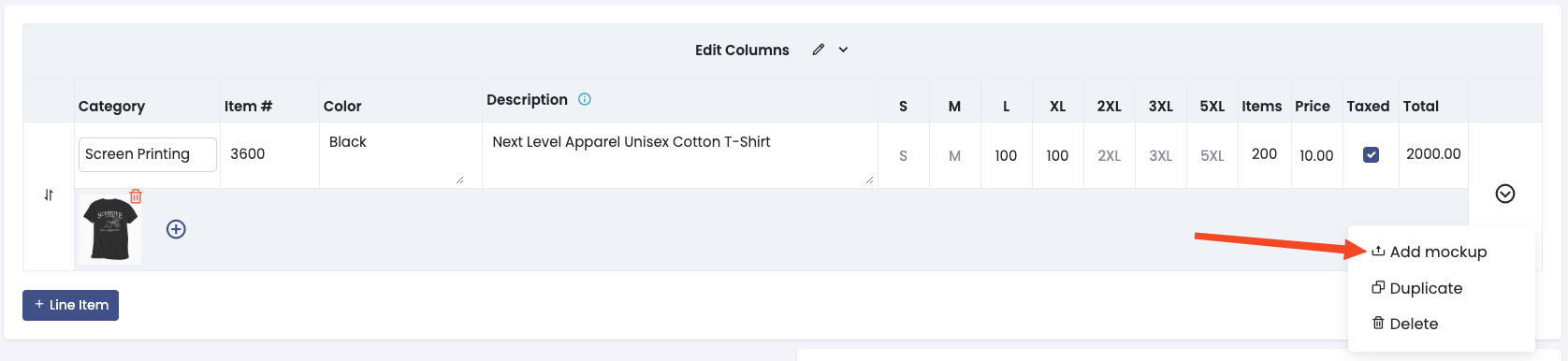
Section titled “How Do I Add Mockups to Line Items?”You can attach files to your line items to show your customer how their product will look. To add a mockup, click on the arrow on the right side of the line item, then click Add Mockup. You can add as many files as you want to each line item.
Please note, paid plans can attach any type of file as a mockup, but free plans only allow for image files.